
What Ora does
- Answers questions about your record. "How was my week?", "When are my symptoms worst?", "Did I hit protein on dose days?"
- Writes a daily note — one line such as "Protein is 80 g under your target of 170 g", with how many figures it was computed from.
- Describes patterns across the dosing cycle — for example, that the three lowest-protein days of the week all fell within 48 hours of an injection.
- Logs things when you ask. "Log 500 ml of water" becomes a proposed entry that you confirm; nothing is written until you do.
- Answers general questions about GLP-1 medicines and nutrition from web search, with its sources, kept separate from anything about you.
Ora also appears as the character on screens and widgets — a soft cloud whose face changes with what it is doing.
What you can ask
Ora works out what a question is about, then looks at the part of your record that fits it — the last week for a check-in, the last two weeks for protein, fibre, water and meals, the last 90 days for weight, measurements, doses and symptoms, and your whole history if you say "since I started".
| Topic | You might ask | What Ora draws on |
|---|---|---|
| A check-in | "How am I doing?" | The last 7 days across everything you logged |
| Protein, fibre, water | "Did I hit protein on dose days?" | The last 14 days of food and drink |
| Weight and plateaus | "Has my weight stalled?" | Your weight trend over 90 days |
| Symptoms | "When are my symptoms worst?" | Symptoms set against your dosing days |
| Doses and sites | "Which sites have I used most?" | Your dose and injection-site history |
| Sleep, mood and appetite | "How have I slept this month?" | Your check-ins and Apple Health sleep data |
| Activity | "How active was I this month?" | Steps and exercise from Apple Health |
| Consistency | "How often do I log?" | The days you logged anything |
How the numbers stay honest
Language models are good at sentences and bad at arithmetic, so Ora is never asked to do arithmetic about you. The app works out every figure from your log first — averages, counts, days since a dose — and hands Ora a block of facts, each tagged with where it came from. Ora's job is to phrase them. Its reply is then checked before you see it: a figure about you that is not in the facts does not get through.
General questions — what a medicine is, what a study found — take a different route. Ora answers those from web search, says where a claim comes from, says plainly when it could not find a reliable answer, and never states a figure about you on that path.
What Ora will not do
- Give medical advice, or tell you what to do about a symptom.
- Name a condition or suggest a cause.
- Comment on, calculate or suggest a dose, or when to take it.
- Predict your weight or any other outcome.
- Compare you with other people.
- Tell you where to buy a medicine, or how to get one without a prescription.
Some questions are never sent to the model at all. Questions about pregnancy, breastfeeding, alcohol, stopping a medicine, and missed, doubled, skipped or changed doses are decisions for your prescriber, so Cafeity answers them before any AI is involved: it says so, summarises what your log shows that might help that conversation, and offers to add it to your next Visit Summary. Questions that start "Should I take…", "Should I stop…" or "Should I switch…" get the same answer.
- Recommend, calculate or adjust a dose, or tell you when to take one.
- Interpret a symptom, name a condition, or suggest what is causing something.
- Predict how much weight you will lose, or when.
- Set a calorie target below 1,200 kcal, or a weight goal below a BMI of 18.5.
Cafeity is a general wellness product. It does not diagnose, treat, cure, mitigate or prevent any disease or condition. Questions about your treatment belong with a licensed healthcare professional.
What Ora sees, and where it goes
- Separate consent. Ora is off until you agree to AI processing, a consent separate from the one the rest of the app needs.
- Who processes it. With that consent, the relevant part of your record is sent to Google Gemini to generate Ora's answers, the weekly narration, food parsing and meal photo analysis. The consent screen names the processor and says what is sent before you agree.
- Not used for training. Your data is not used to train Google's models or Cafeity's.
- Withdrawing. Withdrawing AI consent switches the AI features off and deletes your AI conversation history; it does not touch anything you logged.
The full detail is in the privacy policy.
Using Cafeity without Ora
The AI features are optional. Decline them and every other part of the record still works: logging, the weight trend, symptom history, the Visit Summary and export. Ora chat and the daily note are part of Cafeity Pro, with a monthly fair-use allowance of messages.
Keeping a record of it
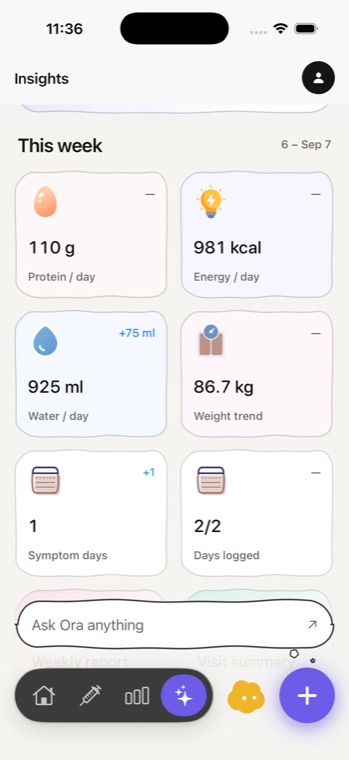
Screens from Cafeity on iPhone.

Screenshots: Cafeity for iPhone, version 1.1.